
Edit And Translate Subtitles Online
Easily edit, translate, and manage your subtitles with our powerful online tool.
or drag and drop
Supported formats: .srt, .vtt, .sbv, .sub, .ass, .ssa
Features
Discover the powerful features
Explore our comprehensive suite of powerful features designed to revolutionize your subtitle editing experience
- Subtitle Editing
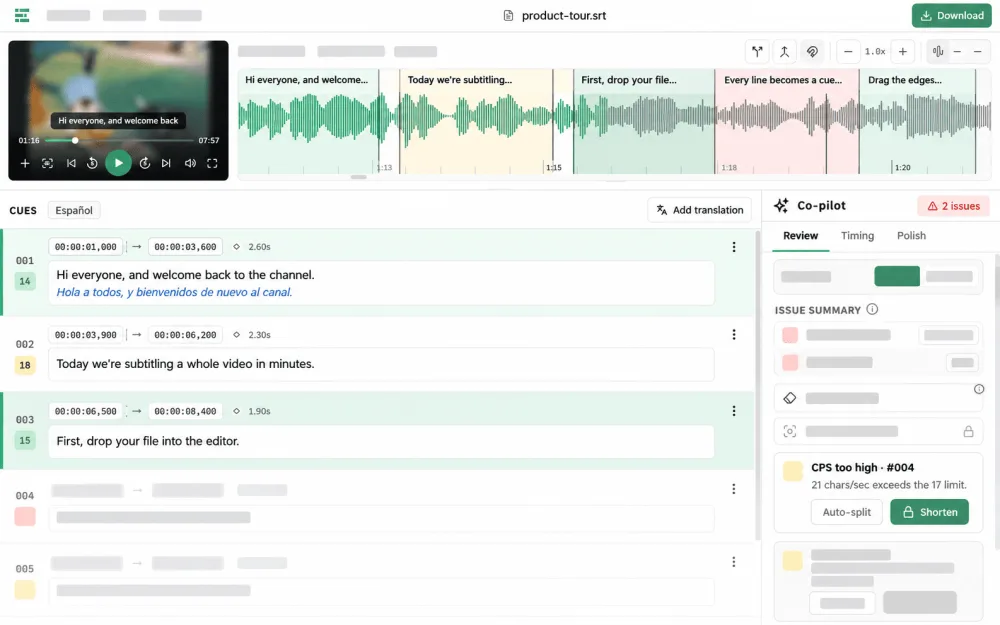
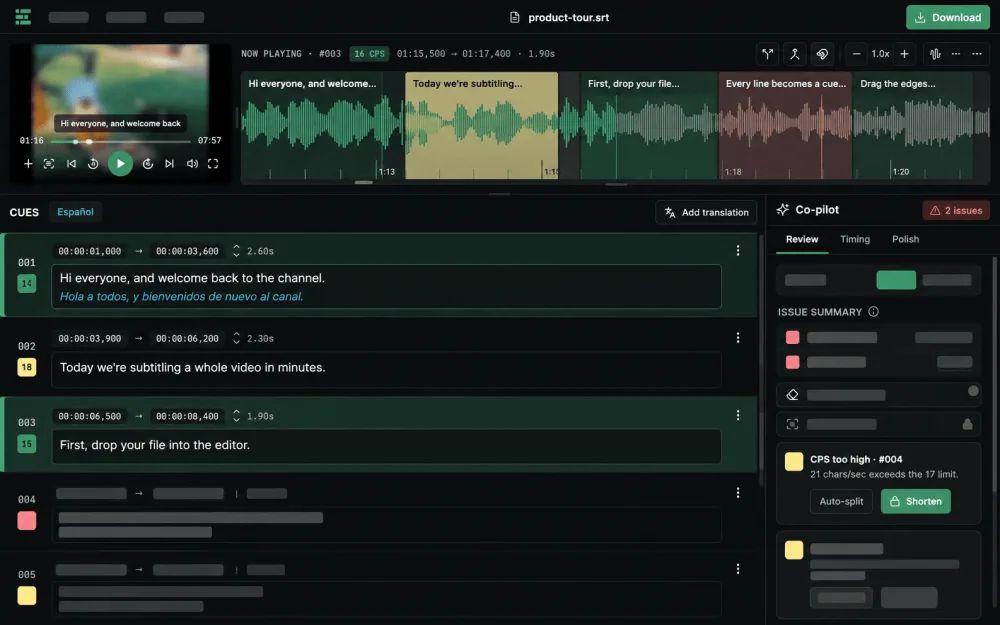
- Edit subtitles easily with an intuitive interface. Adjust timings, correct spelling errors, and format text quickly.
- Automatic Translation
- Translate subtitles into multiple languages with just one click. Utilize advanced AI technology to ensure high accuracy.
- Multi-format Export
- Export subtitles to popular formats like SRT, VTT, ASS. Compatible with most video platforms and editing software.
What is EditSub?
EditSub is a web-based subtitle editing and management tool designed to help users work with subtitle files for videos. The tool allows you to upload subtitle files in various formats, make edits to the text content and timing, translate subtitles to different languages, and export the modified files. EditSub supports common subtitle formats including SRT, VTT, ASS, SSA, and SBV, making it compatible with most video platforms and editing software.
Who Should Use EditSub?
EditSub serves a diverse range of users who need to work with subtitle files. Content creators producing videos for platforms like YouTube, Vimeo, or social media can use EditSub to create, edit, and translate subtitles for their content. Language learners can use the tool to practice reading and comprehension by working with subtitles in their target language. Video editors and post-production professionals can utilize EditSub to synchronize subtitles with video content and ensure accurate timing. Educators creating educational videos can benefit from the tool to add captions and make content accessible. Additionally, translators and localization professionals can use EditSub to translate subtitle files efficiently.
How It Works
simplifies the subtitle editing process in just a few easy steps.
Upload Your Subtitle
Start by uploading your subtitle file or pasting your subtitle text directly into the editor.
Edit Subtitles
Use our intuitive editor to modify existing subtitles or create new ones from scratch.
Translate and Sync
Automatically translate your subtitles to multiple languages and adjust timings if needed.
Preview and Adjust
Review your subtitles in a text-based preview and make any necessary adjustments.
Export and Share
Export your finished subtitles in your preferred format and share them with your audience.
Frequently Asked Questions (FAQ)
- Is Editsub really free?
Yes, Editsub is completely free to use. We do not charge any fees for our services or hide any premium features behind a paywall.
- What subtitle formats does Editsub support?
We support a wide range of popular subtitle formats including SRT, VTT, ASS, SSA, and more. If you need support for a specific format that's not listed, please contact us.
- How do I sync my subtitles with the video?
Editsub provides an intuitive interface for manually adjusting subtitle timings. You can easily shift, stretch, or compress subtitle timings to match your video content. You can upload a video file to the editor to preview subtitles in real-time and adjust timing visually. The tool supports common video formats and allows frame-accurate timing adjustments.
Limitations & Disclaimer
EditSub is provided 'as-is' without warranties of any kind. While we strive to ensure the tool functions correctly, there may be technical limitations or occasional service interruptions. The tool has file size limits and may not support all subtitle format variations. Users are responsible for verifying the accuracy of their edited subtitle content, especially when using translation features, as automated translations may require manual review. EditSub does not guarantee perfect synchronization with all video players or platforms. Users should test their subtitle files with their intended video content and playback systems. By using EditSub, you acknowledge that you are responsible for the content you create and edit, and that EditSub is not liable for any issues arising from the use of modified subtitle files.